
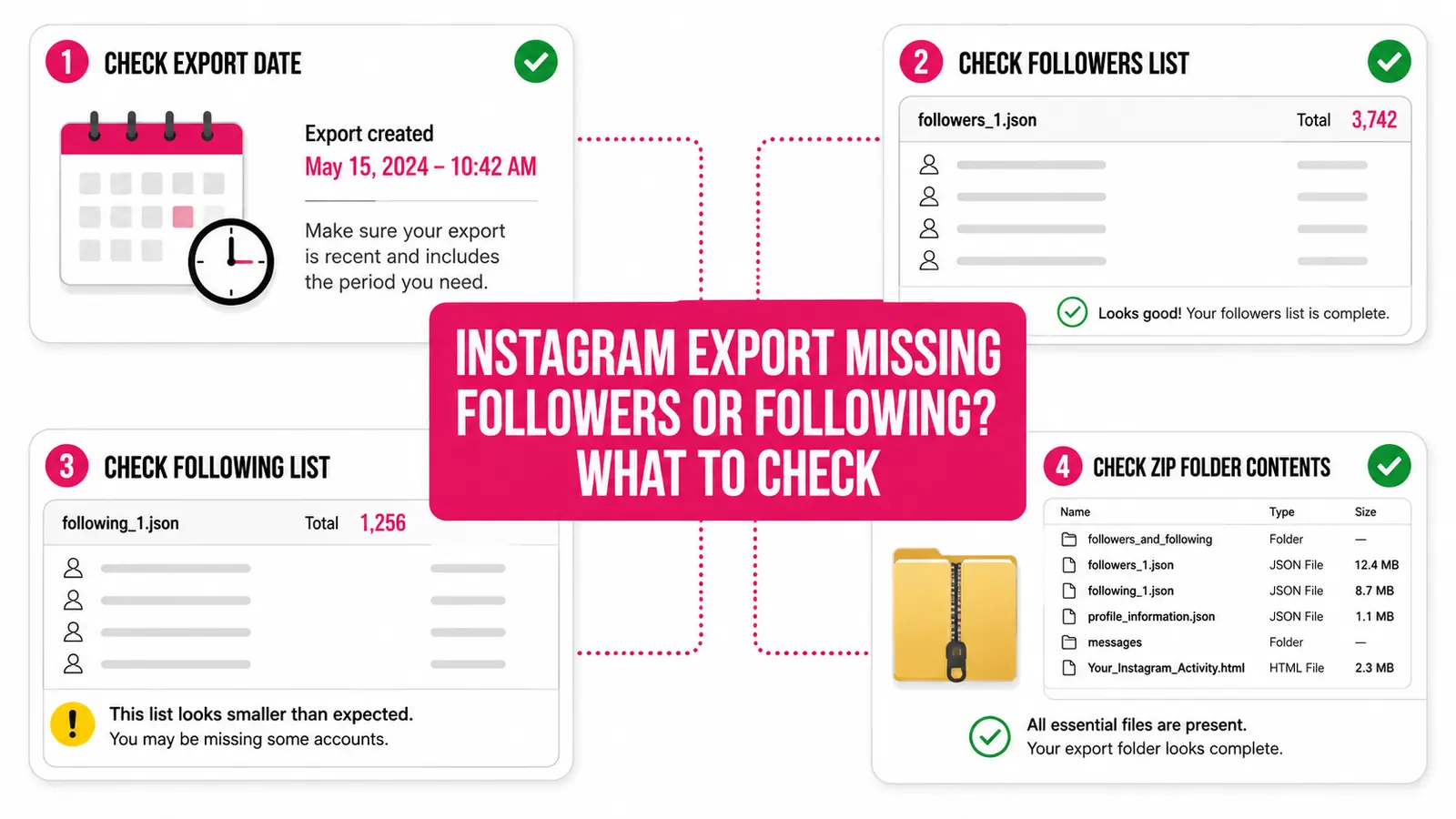
If an Instagram archive does not produce the expected follower report, the cause is often the export request rather than the follower tracker. Instagram lets you choose accounts, categories, date ranges, and formats, so an archive can be valid while still lacking the relationship files needed for analysis.
One complete export can identify current followers, following, and accounts that do not currently follow you back. Identifying who later unfollowed requires at least two complete exports from different points in time.
Confirm the selected Instagram account
Accounts Center may contain more than one Instagram profile. Check that the export was requested for the same profile you intend to analyze. The username associated with the archive should match the account you expect.
Include follower and following information
If Instagram offers category-level selection, include the category that contains followers and following. An archive limited to photos, messages, comments, or profile details will not contain the lists needed for a relationship report.
Menu labels and folder names can change as Instagram updates its export system. Focus on selecting relationship information rather than relying on one exact label from an older tutorial.
Review date range and format
Choose a broad date range when Instagram offers one. An all-time option is usually the clearest choice for relationship data. JSON is preferable when available because it is designed for structured processing, although supported HTML exports may also contain usable lists.
Make sure the download finished
A partial download may have a ZIP extension but fail to open or contain only part of the archive. Confirm the browser or device reports the download as complete. If the file cannot be opened by the operating system, download it again from Instagram before uploading.
When to request a new export
Request a fresh archive if you selected the wrong profile, omitted the relationship category, used a narrow option that excluded needed data, or received a damaged download. Do not add made-up files to satisfy an importer; a clean export from Instagram is the reliable source.
If the archive opens normally and includes the expected relationship data but still fails, keep the error message and request ID shown by the product when available. Those details help distinguish an unsupported archive variation from a temporary upload problem.
Check both sides of a comparison
For historical change tracking, both the earlier and later exports must be usable. If one snapshot lacks follower data, the interval cannot reliably identify lost or new followers. Correct the incomplete side before interpreting comparison results.
Try the original archive
Keep Instagram's ZIP intact and upload it directly. If the relationship data is present, UnfollowTrace can build the appropriate current or comparison report.
Upload your export